Python API
The accsyn Python API facilitates programmable file transfers with Python (v3).
Important Note: API: is NOT available for Cloud Essentials or BYOS Lite type workspaces.
How to create and manage API keys
To create a new API key, open https://accsyn.io/developer in your browser. This page is available from the user menu in the top right corner, "Developer" menu entry:
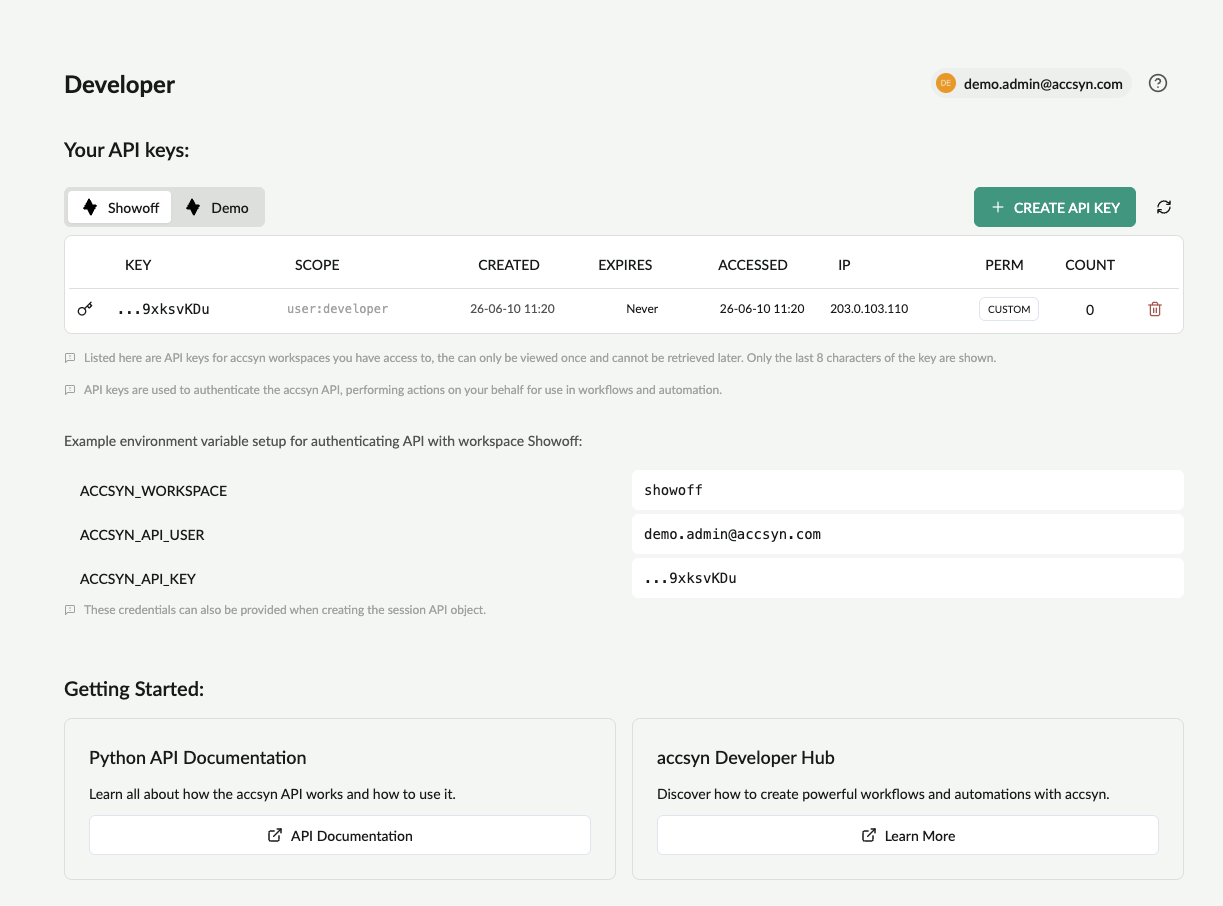
- Click Create API Key button.
- (Optional) Choose the lifetime of the key, the IP(s) to restrict it to and permissions.
- The API key will be presented once; copy and store it in a safe place - treat it like a sensitive password!
Manage user API keys
At https://accsyn.io/developer, your API keys for each accsyn workspace are listed. Delete an API key by clicking the trashcan icon on the right hand side of each entry.
Manage workspace API keys (administrators)
API keys for each user can be managed from https://accsyn.io/admin/users (Workspace button > Users):
- Click on the user you want to manage.
- Go to API keys tab.
- Here you will see all active API keys for that particular user.
- Delete an API key by clicking the trashcan icon on the right hand side of each entry.
Install the Python API
We recommend setting up and activating a virtual environment for development; pyenv is a fluid tool for creating and managing Python envs.
PIP
This is the default and recommended way to install the accsyn Python API with dependencies:
- Install Python 3.8 or higher
- Make sure pip is installed.
- Install using pip:
pip install accsyn-python-api
Poetry
- Download the source code from GitHub (see link below).
- Install with Poetry:
poetry install
From source
- Download the source code from GitHub (see link below).
- Copy the "accsyn_api" folder from within the "source" folder to your PYTHONPATH.
- Install dependencies: requests
Using
Create a new API session
session = accsyn_api.Session(workspace='acmefilm',username='john@user.com', api_key='BlrPCfxLIRZEdhL6LXotwXRmDWbPRsPgLYcpa7ubyu97gxpqSC4130Adfh968Low')
Example - download a file
job = session.create("transfer",{"source":"volume=projects/A001_C064_09224Y_001.mp4","destination":"client=664f53b16aa9149860da9d9c:/tmp/A001_C064_09224Y_001.mp4"})
Note: the accsyn API does not run any file transfers itself, it can only queue file transfers that then get resolved and dispatched to the involved server and client p2p endpoints.
Documentation
Find full Python API documentation here:
accsyn-python-api.readthedocs.io/en/latest/
Source code
Access source code on GitHub:
Further resources
Specification of accsyn job JSON format
Learn how to use the accsyn Python API to automate file synchronisation between your offices and/or cloud storage.